Portals
Lately, we’ve seen growing interest in portals. Just this year, we’ve built two so far.
A portal is a straightforward concept. It is just a hole in spacetime connecting distant places in spacetime.

Ehm, sorry, wrong page. A portal is a web application that allows your customers, partners, and other external collaborators to access and manage a subset of your CRM data.
Deceptively simple at first glance, it gets complex very quickly.
Do I really need a portal?
Why should I invest in a portal? I’ll just use my CRM.
You shouldn’t. If your external users follow the same workflows as your internal teams, a portal is unnecessary.
Now picture Bob, your external user, trying to use your CRM. Is he following your internal workflows? Can he find what he needs? How often does Bob log in?
Does it feel like the data is there, but the experience isn’t? Consider this:
- CRM licensing is built for daily active users, costing tens or hundreds per user. In contrast, external usage is far more variable and demands flexible pricing.
- Your IT team has complete control over internal users’ devices, but external devices are a black box. You can’t secure or wipe them.
- You can’t realistically train external users. CRM UX is designed for internal users, but for Bob, who logs in once a month, you need a much more process-focused experience.
The world beyond your corporate network is fundamentally different. A hostile universe. A portal is a tightly controlled opening to your CRM data, with a user experience that is hard to misuse, intentionally or not, and a pricing model that matches your unique use case.
A website is not enough
Let’s just build a website then.
Of course, for a single “submit ticket” or “request quote” form, all you need is a new web page on your existing website.
However, once your external users need to review their tickets, get notifications, or move through a multi-step quoting process, a simple webpage is no longer enough.
When you are building a portal
When it stops being a CRM and outgrows a simple webpage, you are building a portal.
Do I need a portal?
- External users need a “my” place to access and manage their data.
- Data lives in the CRM, but only a carefully selected subset is exposed externally.
- It is not about views or records, but flows. From login, the portal guides users so they can get the job done.
A real-world example: Integra NGO
Enough space talk, just show me.
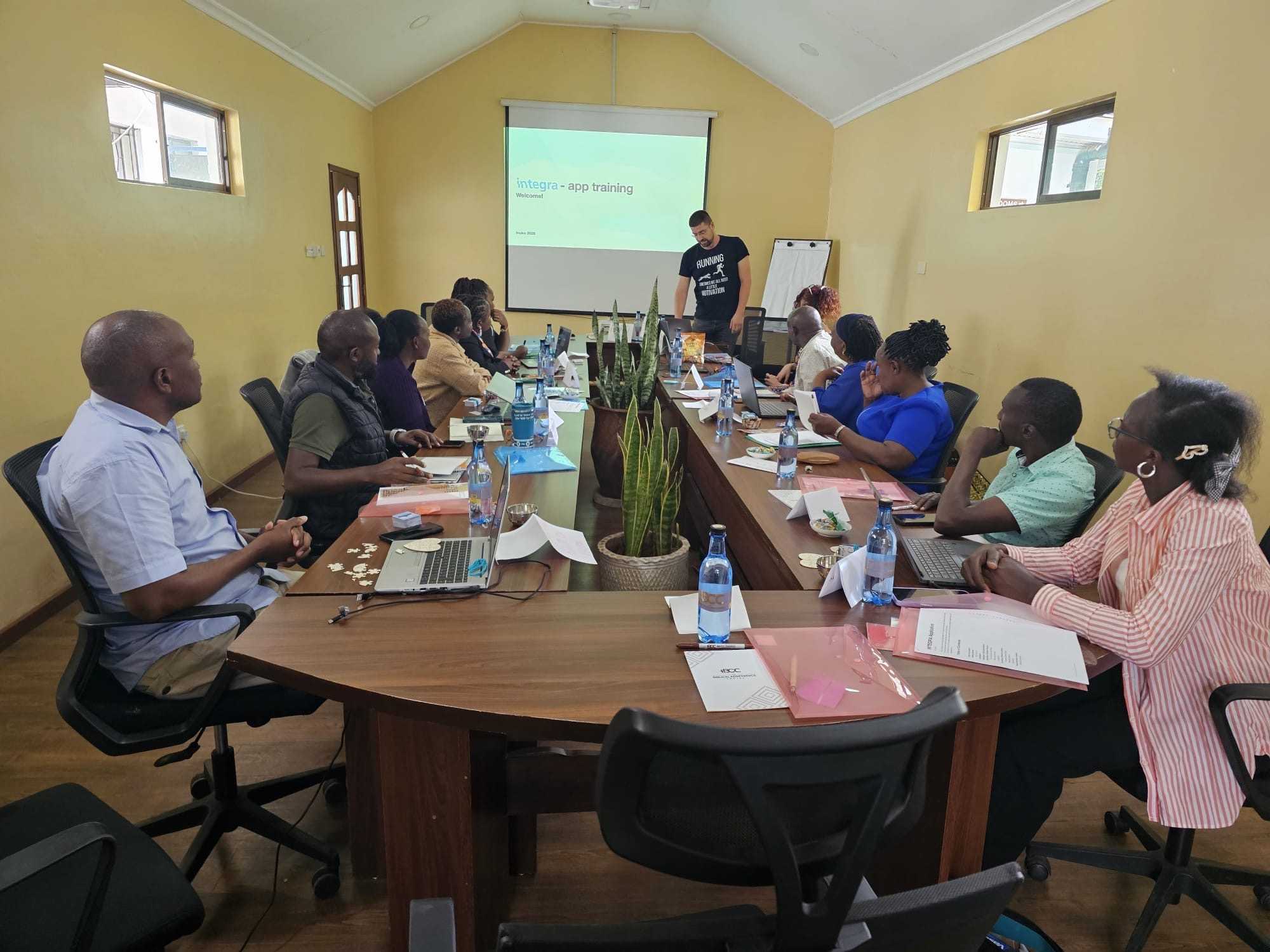
Integra NGO asked us to help connect sponsors, on-site partners, and the back office.
The organizational setup is almost textbook. The back office uses a CRM, in this case Salesforce, and sponsors are recorded as contacts.
However, the actual use case is far from simple. Sponsors support projects and children in Africa and expect regular updates about their impact.
In practice, this means exchanging letters and photos. At the scale of dozens of projects and thousands of sponsors and children, it quickly becomes a literal flood.
Instead of trying to stop the flood, we built a high-speed link between continents. A portal.
The portal architecture
The portal is a separate application, connected to the CRM and synchronized with it.
This allows external users to interact with the data without accessing internal systems directly. Only a carefully controlled subset of data is exposed, while the CRM remains the system of record.
This separation gives you control over security, pricing, and user experience, while still keeping everything in sync.
Synchronization: simple in theory, complex in reality
Synchronization looks simple. It is not.
- Choosing what to sync, and enforcing filters and CRM security roles
- Efficiently syncing only data that has actually changed
- Detecting and resolving conflicting changes
- Handling failures with retry logic when connectivity is interrupted
- Maintaining detailed logs to ensure issues can be diagnosed and recovered quickly
Building this from scratch would not fit the budget, which is where having an existing sync framework makes a real difference.
Two user groups, two experiences
We set up the portal for two distinct user roles.
- On-site partners. Coordinators and teachers who manage communication. They upload photos and letters from children, and print and distribute letters from sponsors.
- Sponsors. They receive updates from their sponsored projects, view photos and letters, and can respond with their own messages.
Both groups use the same system, but with completely different experiences tailored to their roles.
Flows, not views in practice
Let’s look at how we put “flows, not views” into practice.
Sponsors write letters directly in the portal. These are reviewed by the back office before being released to on-site partners, who print and distribute them.
Partners upload photos and letters from children. These are reviewed and released before sponsors are notified about new updates.
This ensures that communication is scalable. The back office no longer manually moves, converts, and emails files. The whole process is reduced to a visual check and a single click.
Building within an NGO budget
All of this had to fit within an NGO budget.
Using our Inuko framework, we quickly set up data synchronization with Salesforce and defined the core data model and user experience. Lists, forms, and workflows were assembled without writing custom code.
This allowed us to focus our development effort where it mattered most, on the parts that could not be standardized.
Where custom development matters
We focused custom development on two key areas where standard components were not enough.
For on-site partners, we built a specialized upload interface. Managing large volumes of photos and letters manually would be slow and error-prone. The tool simplifies this by automatically matching files to the correct children and allowing quick corrections where needed, making bulk uploads fast and reliable.
Additionally, the tool handles format conversion and other technical details, dramatically improving transfer speed, reducing storage requirements, and cutting costs by an order of magnitude.
For sponsors, we designed a more engaging experience. Instead of simple tables, updates are presented as a feed, similar to a social media timeline, making it easier and more natural to follow the story of their sponsored projects and children.
What made this work
Let’s take a step back and review what made this work.
- Cost control. External users never needed CRM licenses, avoiding a major cost driver.
- Speed of delivery. By combining configuration with targeted custom development, we focused effort only where it truly mattered.
- Security by design. External users never access internal systems directly. Only a controlled subset of data is exposed.
- Architecture that scales. A separate portal application, connected through a robust sync layer, allows the system to grow without increasing complexity.
- Real-world impact. Communication between sponsors and children now works at scale, across continents.
Final thoughts
Portals are not just about access to data. They are about designing systems that connect real worlds.
If you’re considering a portal for your CRM, feel free to reach out. I’m happy to share what worked and what didn’t.
Continue reading
Strategic Client Management


Recently we have been working with a customer implementing a level 3 client management solution. It is very exciting to help build a strategic system focusing on client outcomes.
Case management app


Case-workers such as social workers or health workers, divide their time between clients. The purpose of our app is to support them in their work. And to make the inevitable paperwork - reporting as simple as possible.
Real estate Lease management


What is missing in a housing market with demand for rental properties and many owners with a single extra property to rent?
Services.
Keeping the property occupied, choosing the right tenants, ongoing maintenance, inspections and all the legal paperwork.